

Intention Practice App
Hold an intention and see what chance does.
Prodigy Lightfield fills your screen with light made from a live stream of randomness: your device’s own, or a quantum source with Lightfield Plus. Tap Start and the field begins. Hold an intention if you want one, watch the light, and see what chance is doing moment by moment.
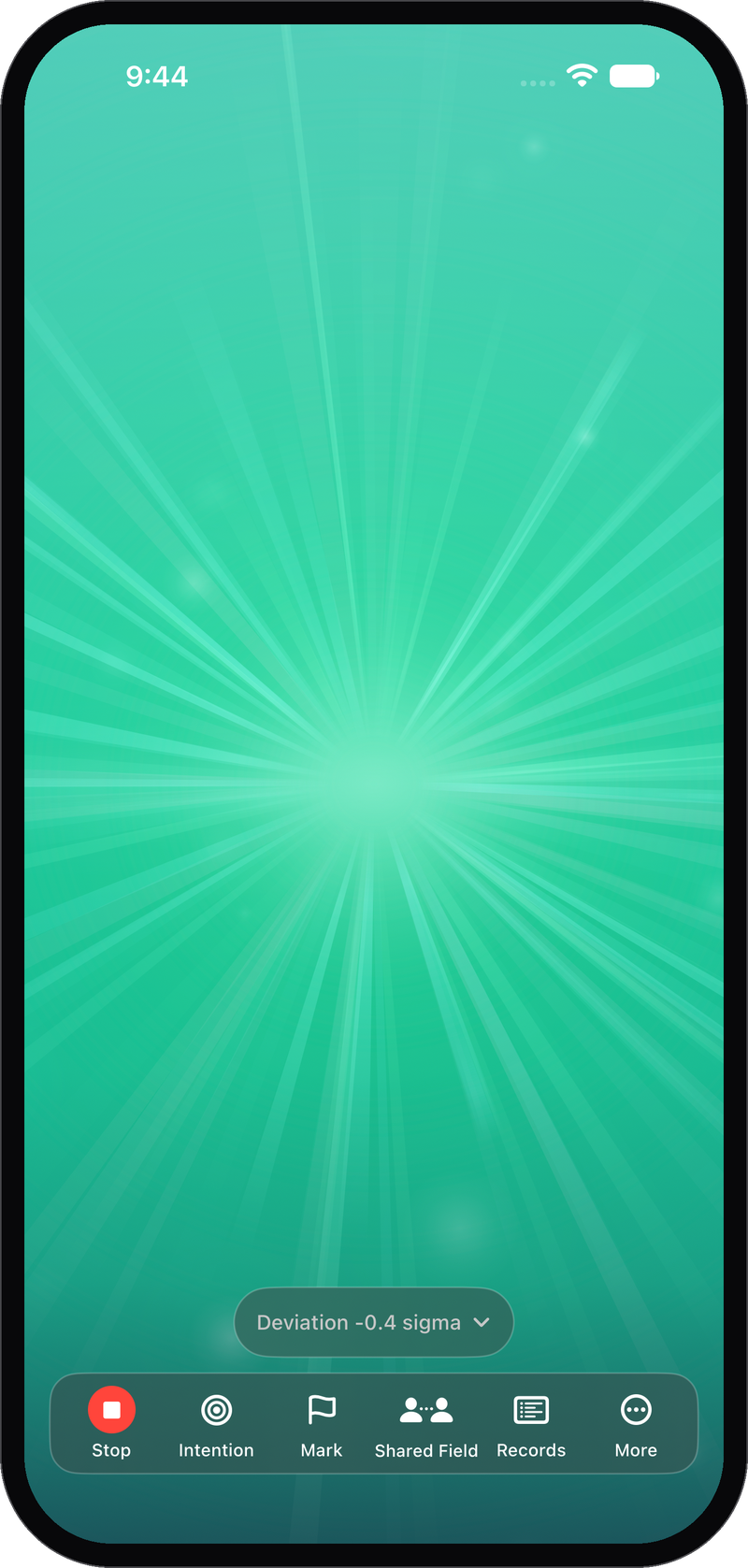
Color tells you which way the randomness is leaning. Brightness tells you how far from chance it has gone. You can read the field at a glance and keep sitting, without breaking off to check a number.
Tap Stop and the session is saved with its statistics, including the odds of the randomness having drifted that far on its own. The app never asks what you were holding and never records it. The influence of intention on quantum randomness is a real and active area of research, offered here as an invitation to participate.
Built for iPhone, iPad, and Android.
How a Session Works
1. Tap Start
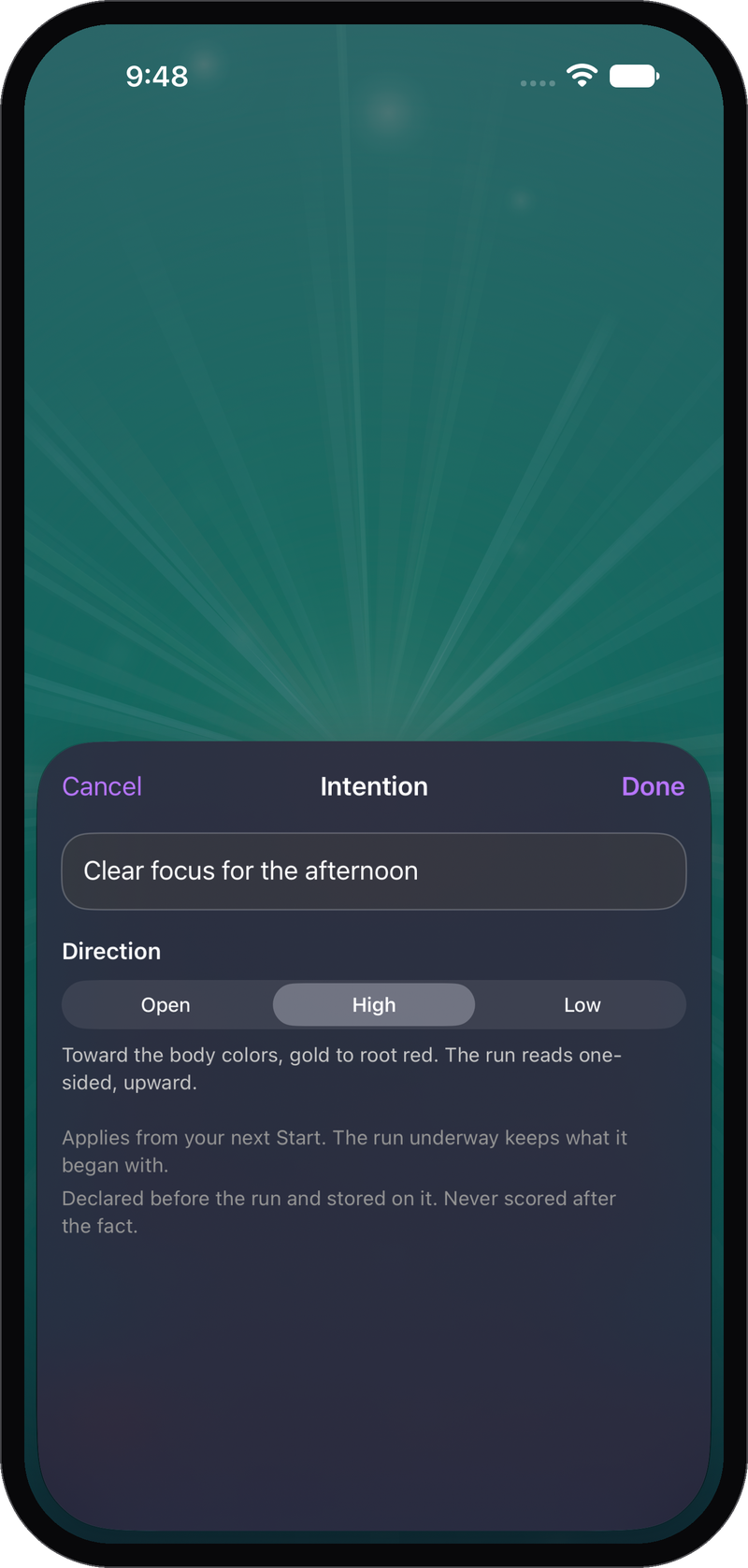
The field begins straight away, with nothing to fill in first. Bring an intention if you want one. The app does not ask for it, so nothing you write can shape how you read the numbers afterward.
2. Start and Watch
The light takes the whole screen for as long as you sit. Watch the color and brightness change as the randomness drifts. Tap once and the controls disappear, so nothing on the screen is asking to be read.
3. Mark a Moment
Tap Mark when something happens: your attention shifts, a sound in the room, a thought you didn’t expect. The session keeps that moment, so you can go back and see exactly what the field was doing right then.
4. Read the Session
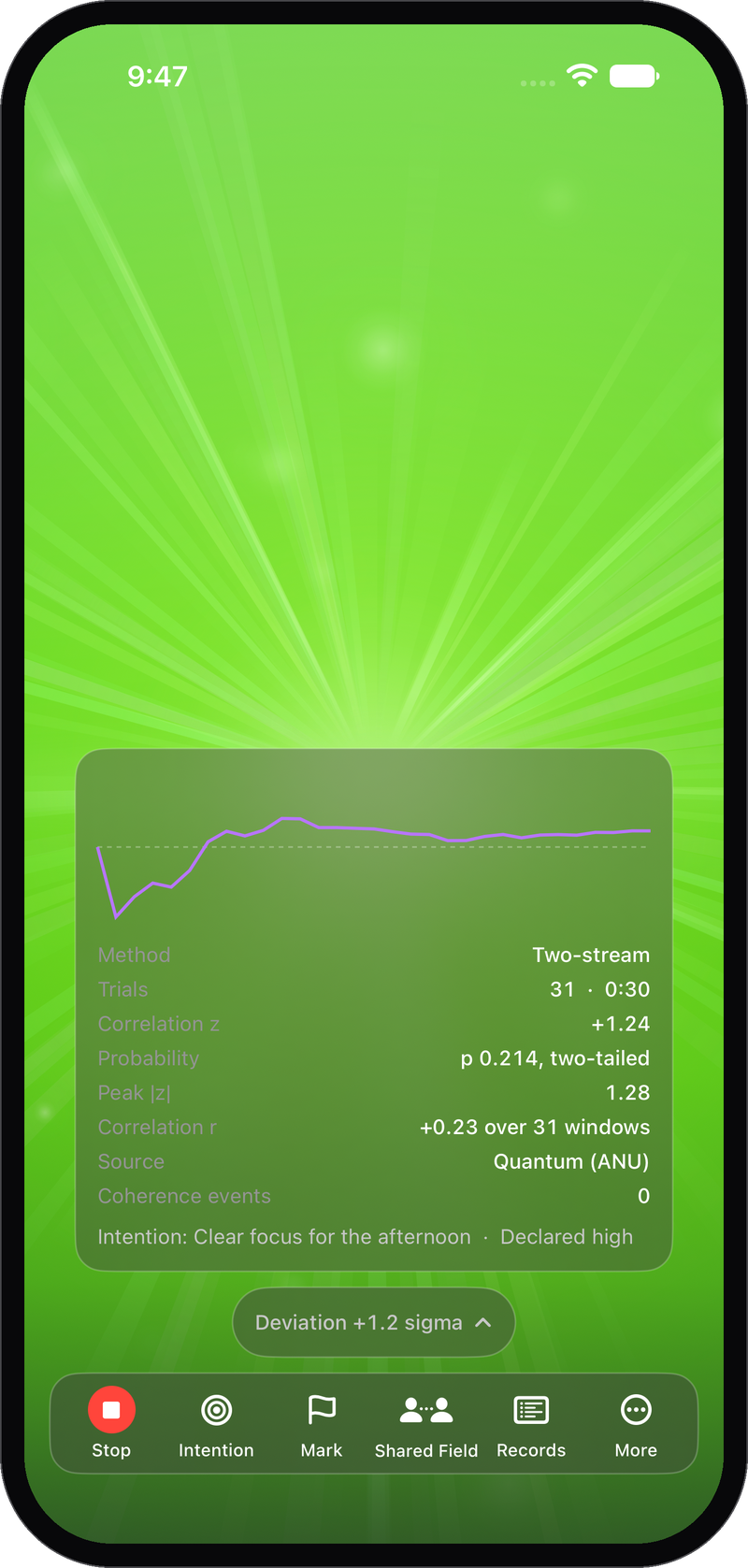
Tap Stop. The saved session shows how far the reading went, the odds of chance alone reaching it, and the state of the field at every mark you made. What you felt sits next to a number that was fixed while you sat.
What the Colors Mean
Most sessions look like this. The color drifts slowly around the middle of the scale, the field stays dim, and nothing much happens. That is chance behaving exactly as it should, and it is what you will see most of the time. The unusual session is the one that brightens and stays to one side.
You can read the field at a glance and keep sitting, without breaking off to check a number. The hue is the direction: deep blue into violet when the randomness leans one way, green and gold into ember when it leans the other, 10 hues in all. The brightness is the distance from chance, so the field sits at its dimmest when nothing is happening, and a bright screen means something.
Eight of those 10 hues are the chakra colors from ProdigyClear, a color order most people in this work already know by heart. If it isn’t restful to sit with, Lightfield Plus has four other scales.
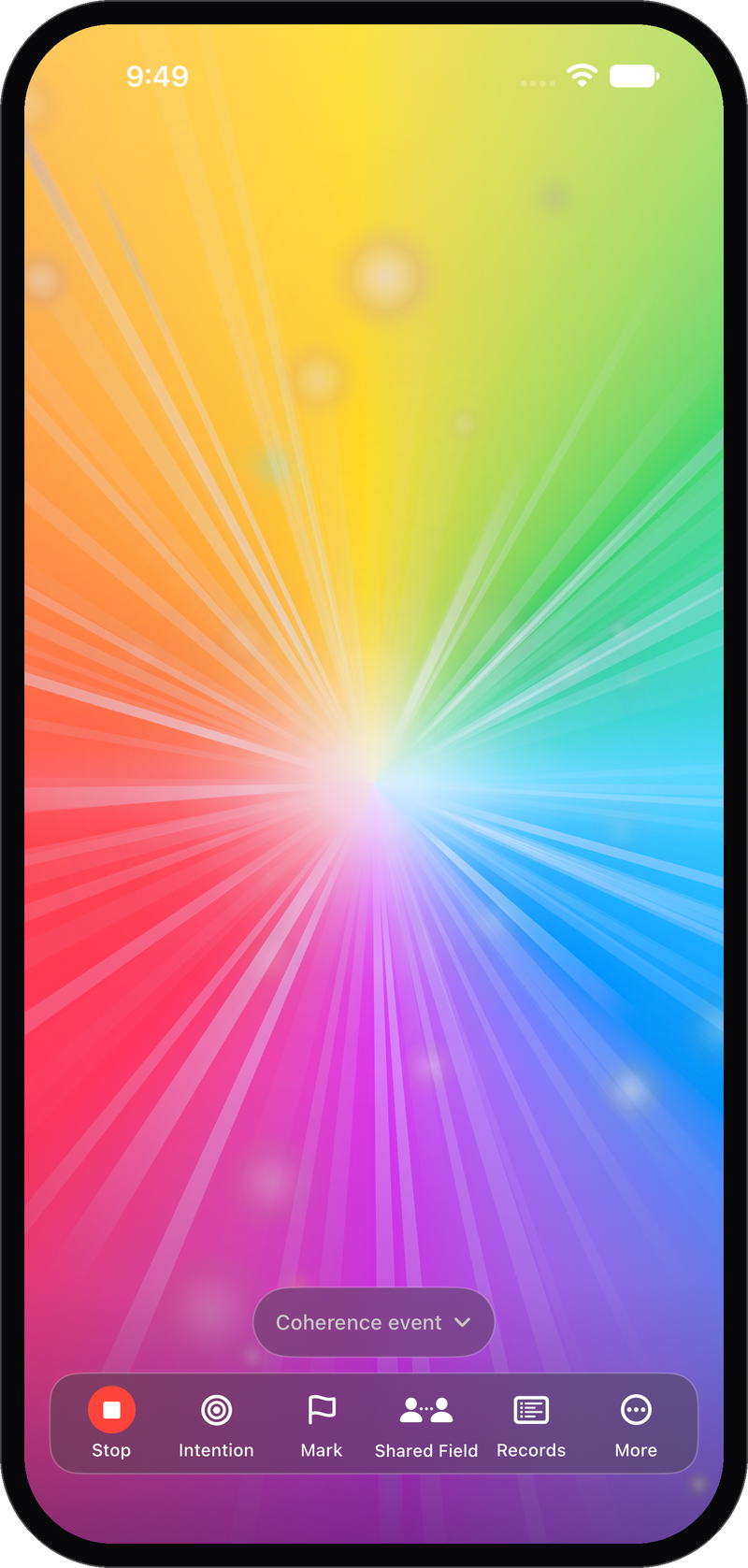
When the reading reaches the rainbow threshold, the field blooms into a slowly turning rainbow, so you know without watching the statistics. At any given moment, chance alone stands at that level about one time in a thousand. Nothing about the rainbow is staged, and the threshold never moves.
Two Ways to Run It
You can sit with the field and give it your attention, or you can leave it running while you do something else and look up now and then. The second way asks nothing of you and is the one most people keep coming back to.
Shared Field
Sit with another person and watch one field together. They join from their own device, in the room or across the world. Read them the six-character code and both screens show one light: the same color, the same brightness, and the rainbow on both at once. Hosting needs a Prodigy Account. Joining doesn’t, so you can invite someone in seconds.
Pop-out
Leave the app and the light floats in a small window. It’s off until you switch it on in Settings.
Room Light
Let the field out of the screen and into the room. A color light on your home network shows the same color at the same brightness as the screen, and opens into the rainbow only when the numbers reach the threshold, never on a timer. Leave it running while you cook, read, or talk, and look up now and then to see where the field has moved. Works with Matter lights. Part of Lightfield Plus.
Sessions and Your Account
Every session saves to your device when you stop, signed in or not, and holds the start time, the length, the source, the final reading and the peak, every rainbow and mark with its timestamp, and the whole reading.
The odds on a session describe that session alone. Sessions are not pooled into a single figure. Your lifetime lines count sessions, hours, and rainbows (coherence events).
Sign in with a Prodigy Account and your sessions follow you to your other devices. The account is optional, and one works across every Prodigy app.
Where the Light Comes From
Every second, the field flips 200 coins. Without Plus, the bits come from your device’s own cryptographic random generator. With Lightfield Plus, they come from a quantum source at the Australian National University, where a laser reads vacuum fluctuations of the electromagnetic field and turns them into ones and zeros.
The field counts how many of those 200 came up one. Chance says 100. How far the count sits from 100 sets the brightness, and which side it lands on sets the color. That is the whole mechanism, and nothing in it is predetermined.
If the quantum source can’t be reached, the app falls back to atmospheric noise, then to the device’s own randomness. The session records which one fed it.
What Lightfield Plus Includes
Plus draws the field from the quantum source, changes how it looks, moves it off your screen, and lets you write down what a mark was about while you still remember. Four more palettes (Aurora, Ember, Ocean, and Moonlight) give you a variety of different palettes to explore and experience. Notes on your marks turn a bare timestamp into something that still means something next month. The Room Light puts the field in the room, so nothing has to be in your hands at all.
It’s $2.99 a month or $19.99 a year, after a seven-day free trial. The field, your sessions, and account sync are free.
Privacy
You can run the whole practice without an account, an email address, or a name. Your sessions stay on your device unless you sign in to sync them. A Shared Field passes only random numbers and first names between the two devices, and ending it erases the pairing. The Room Light talks to your bulb over your local network, so nothing about it leaves your home. What you sit with is nobody’s business, including ours.
Prodigy Lightfield Questions
What is Included?
The field, marks, Sessions, the Shared Field, Pop-out, and account sync are free. Lightfield Plus adds quantum randomness, four palettes, notes on your marks, and the Room Light.
Do I Need an Account?
No. Your sessions save to your device either way. A Prodigy Account syncs them across your devices and lets you host a Shared Field. Joining one needs no account.
Does the Rainbow Mean My Intention Worked?
A rainbow is a coherence event: the reading reached 3.3 sigma, a level chance alone reaches about one time in a thousand. The goal is to focus your intention and see whether you can influence the colors or generate a coherence event.
Is the Rainbow Ever Staged?
No. It blooms only when the numbers reach a fixed level of 3.3 sigma or higher.
Where Does the Randomness Come From?
With Lightfield Plus, from a quantum source at the Australian National University. If that can’t be reached, from atmospheric noise, then the device’s own randomness. Without Plus, from your device’s own cryptographic random generator. The session says which.
Is This the Coherence Field from ProdigyClear?
It began as the Coherence Field in ProdigyClear and now lives here as its own app.
Which Lights Work with the Room Light?
Color lights that support Matter, on your home network. It comes with Lightfield Plus.
Which Devices are Supported?
iPhone and iPad from the App Store, and Android from Google Play.
Get Prodigy Lightfield
Prodigy Lightfield is on the App Store for iPhone and iPad, and on Google Play for Android. The field, your sessions, and account sync are free.
Also from Prodigy
ProdigyClear
Look something up mid-session and write the client record without switching apps: more than 6,000 reference entries, sessions, and client histories for energy healing work.
Prodigy Mindsight
Mindsight trains blindfold perception, clairvoyance and precognition, and helps you get better at them with feedback after every trial.